Visual Studio 2017 Install error– 0x80131500 – Failed to Deserialize packages

I was frustrated by this error when I am trying to reinstall Visual Studio 2017 after my visual studio got corrupted/failed during upgrade to 15.1 ( or after a previous installation failed due to low disk space).

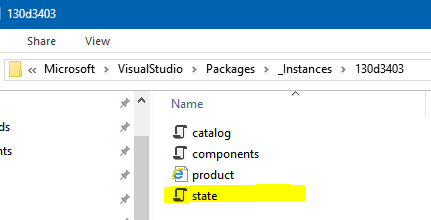
There is a file called ‘state.json’ , in below mentioned path, which is creating this particular issue. 

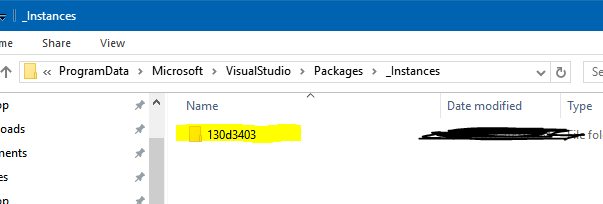
%ProgramData%\Microsoft\VisualStudio\Packages\Instances\<instance> 
image

image

Solution:

  • Delete/rename the folder as is or rename ‘state.json’ file to ‘something.json’ .

Found from : https://developercommunity.visualstudio.com/content/problem/2877/install-error-0x80131500-failed-to-deserialize-pac.html


Discover more from C4: Container, Code, Cloud & Context

Subscribe to get the latest posts sent to your email.

Written by

Nithin Mohan TK

Hello Namaste! 👋🏻 I'm an accomplished Enterprise Solution Architect & Engineering Leader with 20+ years of progressive experience architecting, building, and scaling transformative enterprise solutions. ⚜️ Solution Architect / AI & Cloud 📌 Galway, Ireland

Leave a comment

Your email address will not be published. Required fields are marked *

This site uses Akismet to reduce spam. Learn how your comment data is processed.